Eris Chat Just Got a Serious Upgrade
Emoji picker, @mentions, inline media, multi-file uploads, unread indicators, and a proper edit flow — all shipped in one week.
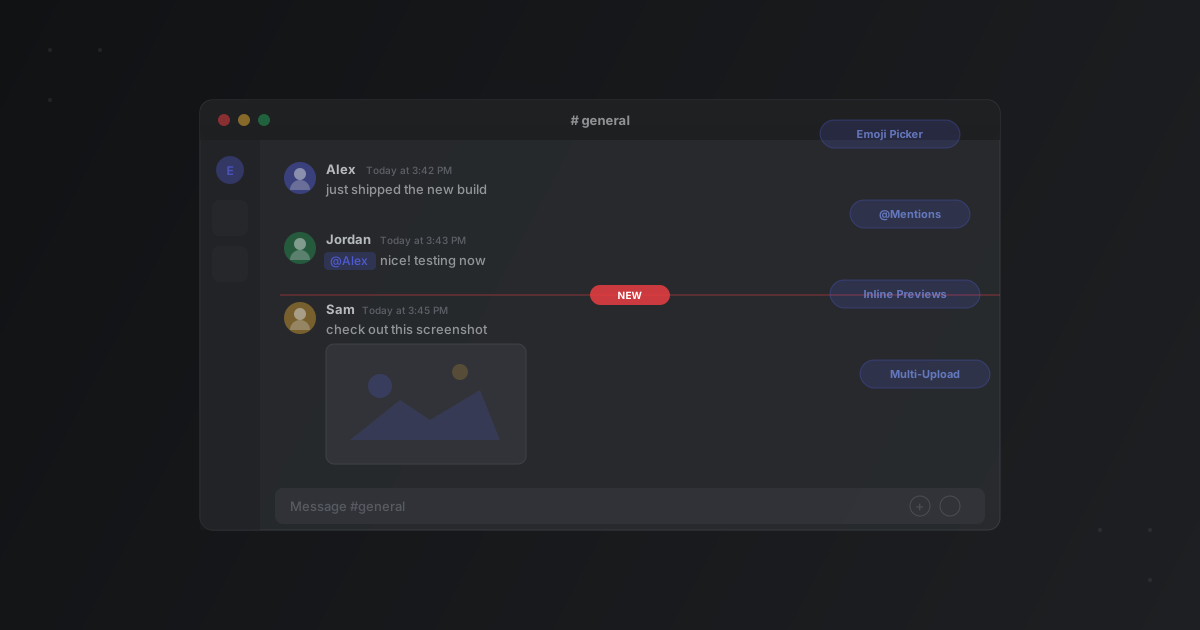
We’ve been heads-down on the Eris chat experience, and this past week was a big one. Six features landed that make day-to-day conversations feel noticeably better. None of them are flashy on their own, but together they close a real gap between Eris and what you’d expect from a modern chat app.
Here’s what’s new.
Emoji picker with jumbo rendering
You can now click the emoji button next to the chat input to open a full picker — categories, search, skin tone support, the whole thing. On web, there’s also shortcode autocomplete: type :joy and a dropdown appears so you can tab-complete without lifting your hands off the keyboard.
The fun part: send a message with just 1–3 emoji and nothing else, and they’ll render at jumbo size (48px). Mix emoji with text and they stay inline at normal size. It’s a small thing, but it makes reactions feel more expressive.
Both the web and Flutter clients have the same emoji set — 173 curated emoji across 8 categories — bundled as static JSON so it loads instantly with no external API calls.
@mentions that actually work
Type @ in the chat input and you’ll see a popup with your channel’s members, filtered as you type. Arrow keys to navigate, Tab or Enter to select, Escape to dismiss. The mention inserts a token like <@user_id> that renders as a highlighted badge in the message — clickable, visually distinct, impossible to miss.
On the server side, mention tokens are parsed out and included in a mentions array on each message broadcast. This sets the groundwork for mention notifications down the road.
Inline media previews
Previously, every file attachment — images, videos, audio — showed up as a generic download card. You had to click through to see what someone sent. That’s fixed now.
Images render inline as actual images. Videos get a native <video> player. Audio files get an <audio> element. The file is auto-downloaded and decrypted (yes, even in E2EE channels) before rendering. Non-media files like PDFs still show the download card.
The Flutter client has inline image support with the same decrypt flow. Video and audio on mobile fall back to file cards with appropriate icons for now — Flutter’s video player needs extra platform setup, so that’ll come later.
Multiple files in one message
Before this week, uploading multiple files in a chat meant sending one message per file. Now they’re batched into a single message with multiple attachment cards. Select several files at once and they all go out together.
This works across the full stack — there’s a new message_attachment junction table on the server, the WebSocket protocol carries an array of attachments, and both clients render them. Old single-attachment messages are still fully compatible; the server populates both the legacy single field and the new array field.
In E2EE channels, multi-file attachments work too. Each file is encrypted individually, and the attachment metadata array travels through the encrypted message pipeline.
Unread message indicators
Eris now tracks unread counts per channel. When messages come in for a channel you’re not looking at, you’ll see:
- A red badge with the count on the channel name in the sidebar
- Bold text on the channel name
- A white pill on the left edge of the sidebar row
- A “NEW MESSAGES” divider — a red line in the chat area marking exactly where your unread messages start
Switch to a channel and the count clears. The divider sits right between the last message you saw and the first new one, so you can pick up exactly where you left off.
Better message editing
Message editing used to happen inline — click edit and the message text was replaced with a textarea right where the message was. It worked, but it was clunky and didn’t match what people expect.
Now editing works like Discord: click edit on a message and the text drops into the main input area at the bottom. An “Editing Message” banner appears above the input so you know you’re in edit mode. The original message gets a subtle blue highlight in the chat. Enter to save, Escape to cancel.
This applies to encrypted messages too — edits are re-encrypted through MLS before being sent, so the server never sees plaintext.
What’s next
These changes landed across both the web and Flutter clients with full feature parity. If you’re running an Eris guild, your members will get all of this automatically on the latest client.
We’re continuing to build out the chat experience — mention notifications, message reactions, and threaded replies are all on the radar. If you haven’t tried Eris yet, check it out and see how it feels.
Published February 19, 2026